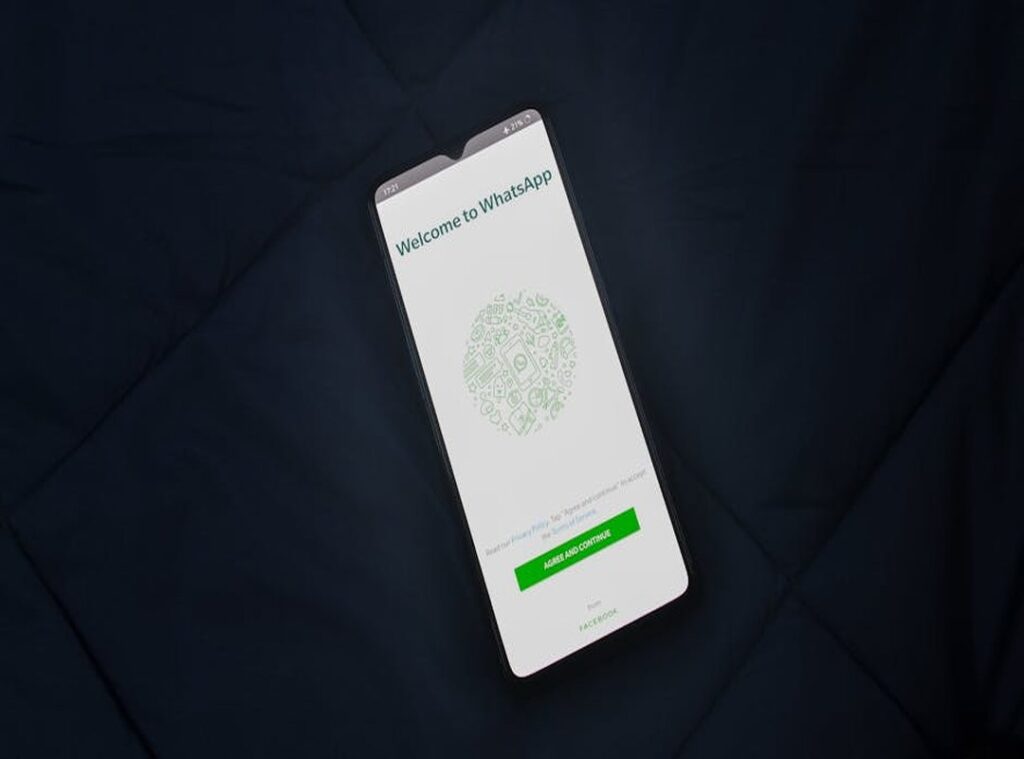
Ever feel like your digital life is just too cluttered? I get it. Sometimes you just want a clean, private online space.
That’s where the Blank profile WhatsApp aesthetic comes in. It’s a statement of digital minimalism and personal style. Want to pull off that look? This guide walks you through it, step by step.
We’ll walk you through it all, your name, profile picture, that ‘About’ section. Everything. By the end, you’ll know how to build a sleek, mysterious, intentionally blank profile that actually works. Why? Because minimalism cuts noise. It creates space to breathe online, and that space is where people pay attention instead of scrolling past another cluttered bio. A blank profile isn’t empty. It’s strategic.
The allure of the blank slate: why go empty?
Ever wonder why some people stick with a blank profile on social media? Laziness plays a part, sure. But there’s real psychology at work here. Some folks crave anonymity. Others are just testing the waters, not ready to commit to a full identity yet. Then there are people who treat their profile as temporary, a placeholder they’ll flesh out later, except they never do. The blank profile isn’t always an accident. It’s often deliberate.
Digital minimalism hits different now. When every app, notification, and algorithm’s fighting for your attention, simplicity becomes your secret weapon. There’s something almost meditative about it, the quiet power of empty space where noise used to be, a kind of breathing room your brain actually craves.
Privacy is another angle. A blank profile reveals nothing. You control your first impression.
No one can make assumptions based on a photo or a bio.
There’s an aesthetic appeal too. An empty profile can look chic and mysterious. It stands out in a sea of noise.
Think of it as quiet confidence.
It also works as a filter. People who reach out are more intentional about it. They’re not just responding to a pretty picture or a catchy bio.
Compare that to overly curated or busy profiles. Those can feel overwhelming. The power of simplicity is real.
It’s like an intentional void that draws people in.
The blank profile WhatsApp aesthetic is a perfect example. It’s clean, simple, and speaks volumes without saying a word.
Crafting the invisible name: a step-by-step guide
WhatsApp requires a character in the name field, so a truly ’empty’ space isn’t possible. But an ‘invisible’ one is.
Introducing the solution: using a special blank Unicode character that WhatsApp recognizes as valid text but is invisible to the human eye.
Copy the character between these arrows: -> <-
- Long-press and copy the character.
- Open WhatsApp and go to Settings > Profile.
- Tap the edit icon next to your name.
- Delete your current name and paste the invisible character.
- Tap Save.
If the first character doesn’t work on your device, try this alternative character: -><-.
Pro tip: Check the screen before and after. It should look like a blank profile whatsapp aesthetic, confirming it worked correctly.
Speculation: As word spreads about this trick, WhatsApp could very well patch it out. But right now? It’s a solid way to keep your profile stripped down and tidy.
The perfect ’empty’ profile picture: ideas & inspiration
I once wasted an entire afternoon tweaking my WhatsApp profile trying to nail that Blank aesthetic, clean, minimal, the kind of thing that looks effortlessly cool. And honestly, the tiny details matter more than you’d expect. They just do. Small choices like that shape how people see you, or at least how they see your profile.
First, your profile picture is key. It should complement the invisible name. Think of it as a visual extension of your minimalist vibe.
Use a solid color block that matches the WhatsApp theme. White or off-white does the trick for light mode. Dark mode? Go charcoal grey or black.
Simple yet effective.
Minimalist ideas
- A subtle gradient
- A close-up texture shot (like paper, concrete, or linen)
- A single, faint geometric shape
These options add a touch of creativity without overwhelming the overall look.
How to create one
You can whip up a square canvas with a solid color using free Canva. Or just screenshot a blank page from your phone’s notes app and crop it. Both take seconds.
Avoid using a completely transparent PNG. WhatsApp often renders it with a default grey or black background, which defeats the purpose.
Visual examples
Picture a soft, off-white square. It disappears into light mode, making your profile look clean and polished without effort. Dark mode’s where a deep charcoal grey shines, though if you’re feeling adventurous, try a gradient that bleeds from black to dark grey for something with real personality. Modern? Sure. Sleek? Absolutely. Does it actually matter, though? What matters is whether it feels right when you’re scrolling through your feed at night or catching it in daylight.
A faint geometric shape, like a small, barely visible circle, can also add a unique twist.
With these tips, you’ll have a profile that stands out for its simplicity. And if you’re looking to save on your next trip, how to use price comparison tools effectively can help you find the best deals.
Completing the look: the minimalist ‘about’ section
So, you’ve got your name and profile picture all set. Now, it’s time for the final touch: the ‘About’ section.
I remember trying to blank out my ‘About’ status for the first time. It’s a small thing, sure, but it felt like something, like I was actually building that minimalist look I wanted.
To get thatBlanklook, use the same invisible Unicode character from the name section. Just copy and paste it into your ‘About’ section.
If you want a subtle touch, go for a single period ‘.’, a hyphen ‘-‘, or even a simple kaomoji.
The key is to match the tone of your overall aesthetic. If pure emptiness is your goal, stick with the blank character.
This little tweak completes your control over your digital presentation. It’s like putting the last piece in a puzzle.
Now, every part of your profile aligns with the blank profile whatsapp aesthetic. Clean, minimal, and totally under your command.
Redefine your digital presence
Want to go truly invisible on WhatsApp? Start with three moves: hide your name, pick a stark profile pic (or skip it entirely), and wipe your About section clean. Done. You’ve got a Blank profile WhatsApp aesthetic now, and you control exactly what people see without them knowing anything about you. Your privacy stays yours. You’re making a statement without saying anything. Most people can’t resist oversharing, photos, status updates, every detail of their day splashed across the app, but this approach? It’s the opposite. You just disappear into the crowd while everyone else is broadcasting themselves.
Try it now and enjoy the simplicity of your new, intentionally crafted digital space.
 Founded by Ness Spanosellis, T Tweak Hotel is a travel-focused platform created for curious explorers who want more than just a place to stay. Blending travel trend highlights, destination guides, hotel booking hacks, and practical traveler tips, the brand helps readers discover smarter ways to plan, book, and enjoy their journeys. With a focus on insight, convenience, and inspiration, T Tweak Hotel serves as a helpful resource for travelers seeking memorable stays, better decisions, and a more confident travel experience.